
Download Bulk SMS PC to Mobile – bulk sms, pc to mobile, sms broadcasting, mass messaging, text message tool, message scheduler, send text messages from pc, unlimited sms, cost-effective sms, broadcast messages
Overview
Bulk SMS PC to Mobile is a productivity-focused software designed for users seeking a streamlined method to send text messages to multiple recipients from a personal computer. The application serves as a bridge between desktop systems and mobile networks, enabling efficient mass communication without relying on mobile devices or internet connectivity. Its primary function is to facilitate the broadcasting of messages to large audiences, making it particularly useful for event organizers, small business owners, and individuals managing group communications.
Users can leverage the tool for practical scenarios such as sending birthday party invitations, announcing community events, or distributing time-sensitive reminders. The software’s design emphasizes accessibility, allowing both technical and non-technical users to operate it with minimal learning curve. The developer, SoftPas, positions the application as a cost-effective alternative to cloud-based SMS services, especially for those requiring high-volume messaging without recurring subscription fees.
Although the developer did not provide additional technical details about the software’s architecture or underlying protocols, the app is structured to function independently of internet access, which sets it apart in the current messaging landscape. This offline capability enhances reliability in areas with unstable connectivity. In the broader app ecosystem, Bulk SMS PC to Mobile fills a niche for users who prefer desktop-based solutions for SMS broadcasting, offering a direct and efficient communication channel between personal computers and mobile phones.
Key Features & Functionality
- User-Friendly Interface: The software features a clean and intuitive layout that simplifies navigation for users of all experience levels. Even first-time users can quickly learn how to input contacts and compose messages without external guidance.
- No Internet Required: A defining characteristic of the application is its ability to operate without an active internet connection. This makes it ideal for use in remote locations or environments where network access is limited or unreliable.
- Bulk Sending Capability: The tool supports the simultaneous transmission of messages to large recipient lists, significantly reducing the time and effort required for mass outreach compared to manual messaging.
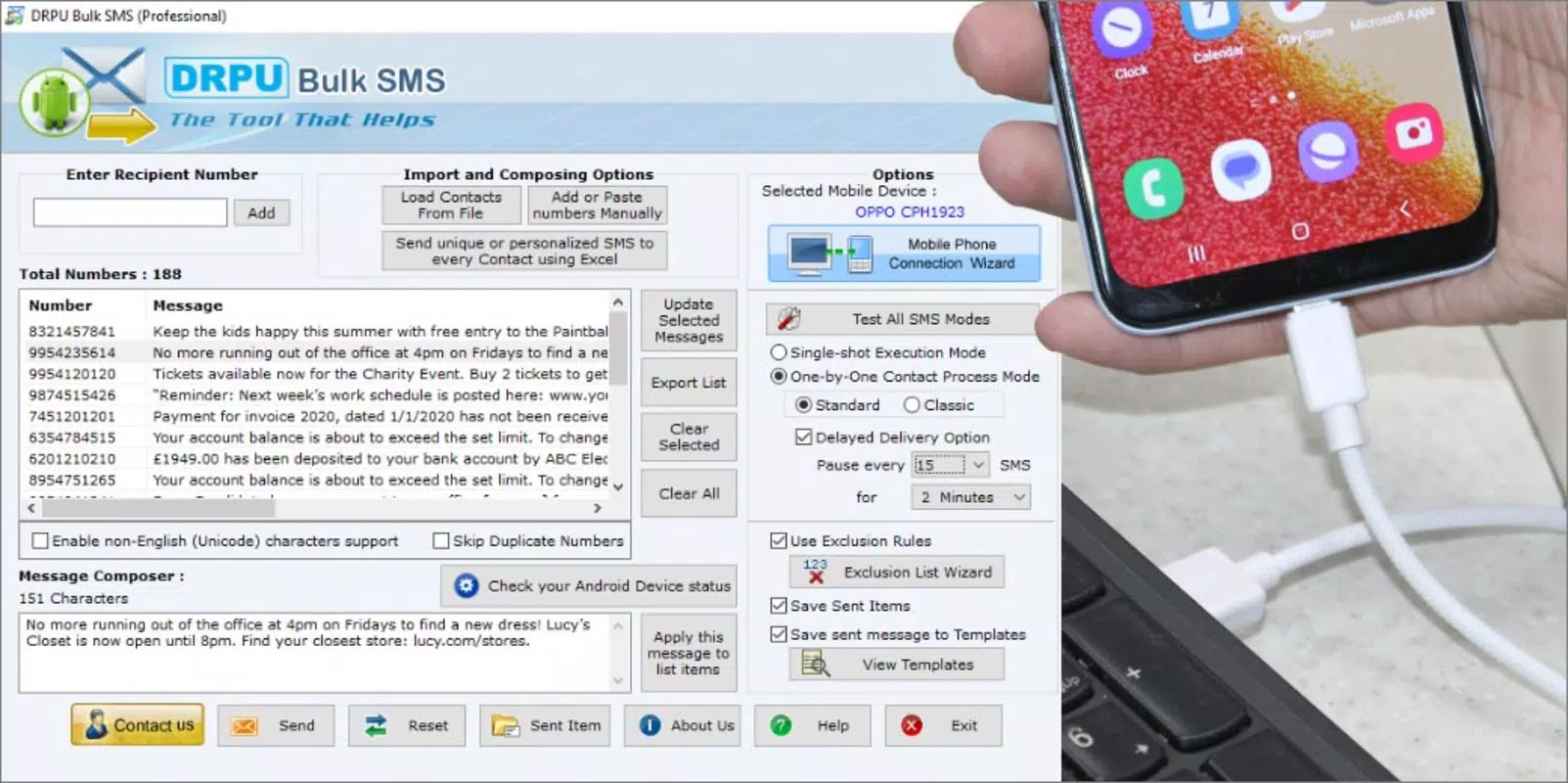
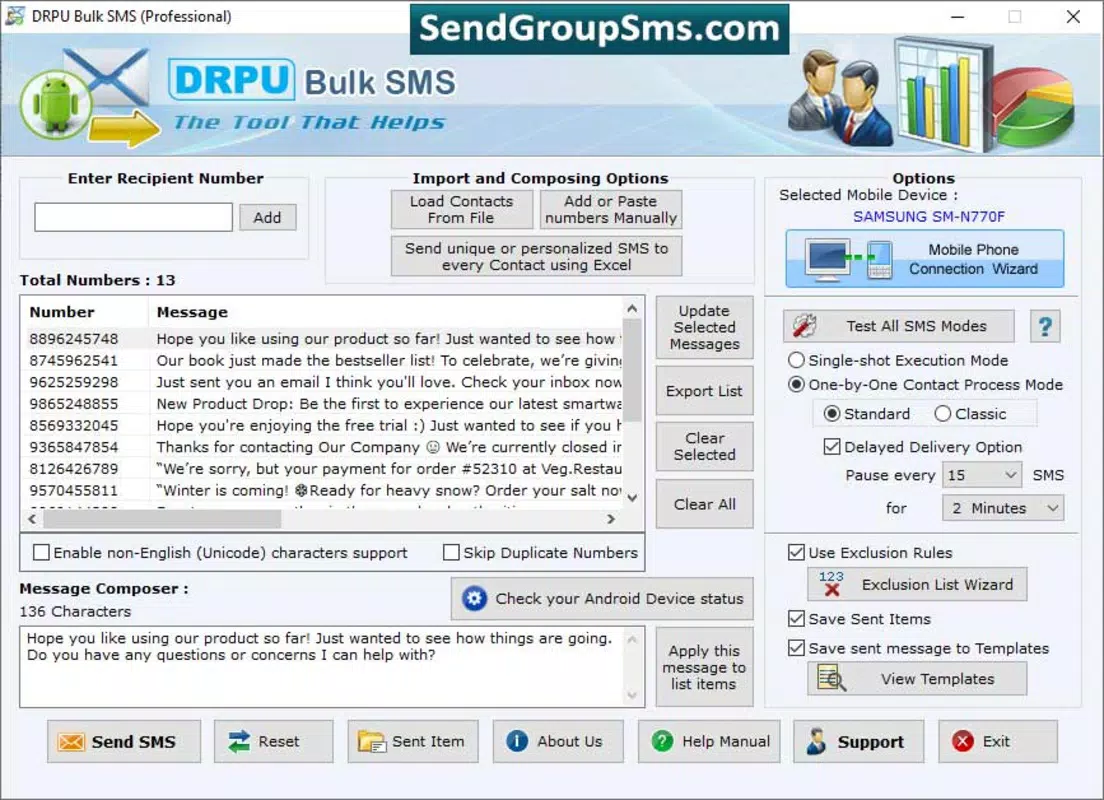
- Delay Delivery Option: Users can schedule messages to be sent at specific times, which is beneficial for event planning, time-sensitive announcements, or avoiding message congestion during peak hours.
- Affordable Solution: Priced at $19.99, the software offers a one-time payment model, making it a budget-friendly choice for individuals and small organizations seeking long-term messaging capabilities without subscription costs.
For example, a local event coordinator could use the delay delivery function to send invitations exactly one hour before a party begins, ensuring timely visibility. Similarly, a small business owner might use the bulk sending feature to notify customers about a flash sale, leveraging the offline mode to avoid network delays during high-traffic periods.
Interface, UX & Performance
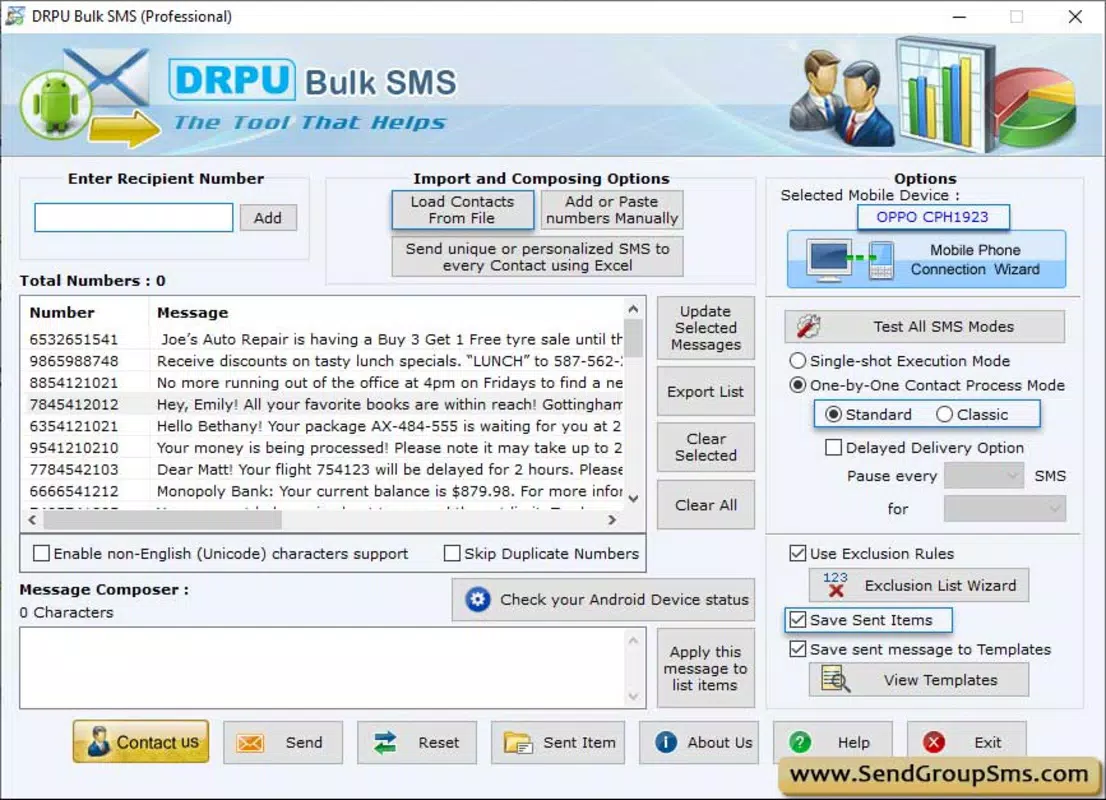
The user interface of Bulk SMS PC to Mobile is designed with simplicity and functionality in mind. The layout features clearly labeled sections for contact input, message composition, and transmission controls, allowing users to complete tasks in a logical sequence. Visual cues and a built-in help menu support users during setup and troubleshooting, enhancing the overall user experience.
Navigational flow is straightforward, with minimal clicks required to initiate a message broadcast. The application does not appear to include advanced customization options, which may be intentional to maintain accessibility for non-technical users. However, this also means that users seeking granular control over message formatting or delivery logs may find the interface limited.
Although the developer did not list formal performance metrics, the software’s ability to operate offline suggests optimized resource usage. It is expected to perform reliably on standard Windows systems, though specific requirements were not disclosed. Responsiveness appears to be consistent based on the described functionality, and the application maintains stability during message transmission processes. No reported crashes or errors were mentioned in the available information.
Platform Compatibility & Technical Requirements
Bulk SMS PC to Mobile is designed exclusively for the Windows operating system. The software is compatible with current Windows versions, although the developer did not specify minimum OS requirements. It has a file size of 12.5 MB, indicating a lightweight footprint that should not strain system resources on most desktop or laptop devices.
Users should ensure their system meets general Windows compatibility standards to run the application smoothly. The version number is listed as 1.0, suggesting the software is in its initial release phase. As such, future updates may introduce new features, performance improvements, or enhanced security measures. The release date was December 13, 2024, marking the official launch of the product.
Pros and Cons
- Cost-effective one-time purchase with no recurring fees
- Operates without internet connectivity, increasing reliability
- Simple interface suitable for users with minimal technical knowledge
- Supports bulk message delivery and scheduled sending
- Lightweight file size (12.5 MB) for quick installation
- Only available for Windows, limiting cross-platform use
- No detailed information on system requirements or supported devices
- Does not include advanced analytics or delivery confirmation features
- Version 1.0 may lack mature features or long-term stability
- No official support channels or update frequency disclosed
FAQ
Is Bulk SMS PC to Mobile safe to download and use?
The software is developed by SoftPas and distributed through official channels. As with any third-party application, users should ensure they download from trusted sources to maintain security.
Can I use this app on multiple computers?
Specific licensing details were not provided. Users should refer to the official terms of use or contact the developer for clarification on multi-device usage.
Does the app require an internet connection to send messages?
No, one of the key features is that it operates without an internet connection, relying instead on a connected mobile device or SMS gateway.
How often can I update the software?
Update frequency was not disclosed. Users should check the official website for the latest version and release notes.
Is the software compatible with all mobile networks?
Compatibility with specific carriers or networks was not specified. The app likely depends on the mobile device’s SMS capabilities and network support.
Final Thoughts
Bulk SMS PC to Mobile presents a practical solution for users who need to send large volumes of text messages from a desktop environment. Its offline functionality, affordable pricing, and straightforward interface make it a compelling choice for personal and small-scale professional use. While it lacks advanced features and platform flexibility, its core capabilities are well-executed for targeted messaging needs.
Individuals organizing events, small business owners managing customer outreach, or anyone seeking a reliable, low-cost SMS broadcasting tool will find value in this application. The ability to schedule messages and send them in bulk without internet dependency adds significant utility.
Download Bulk SMS PC to Mobile now


